Local-first AI for Windows · Research Beta
Ask your files. Nothing leaves your PC.
StarkLLM indexes your documents on your own machine and answers with page-level citations, using Ollama models you run yourself.
- FilesPDF, Word, text, code
- ChunksSplit by meaning, not length
- Hybrid searchBM25 + vector embeddings
- Local modelOllama on your GPU
- Cited answerJump to the source page
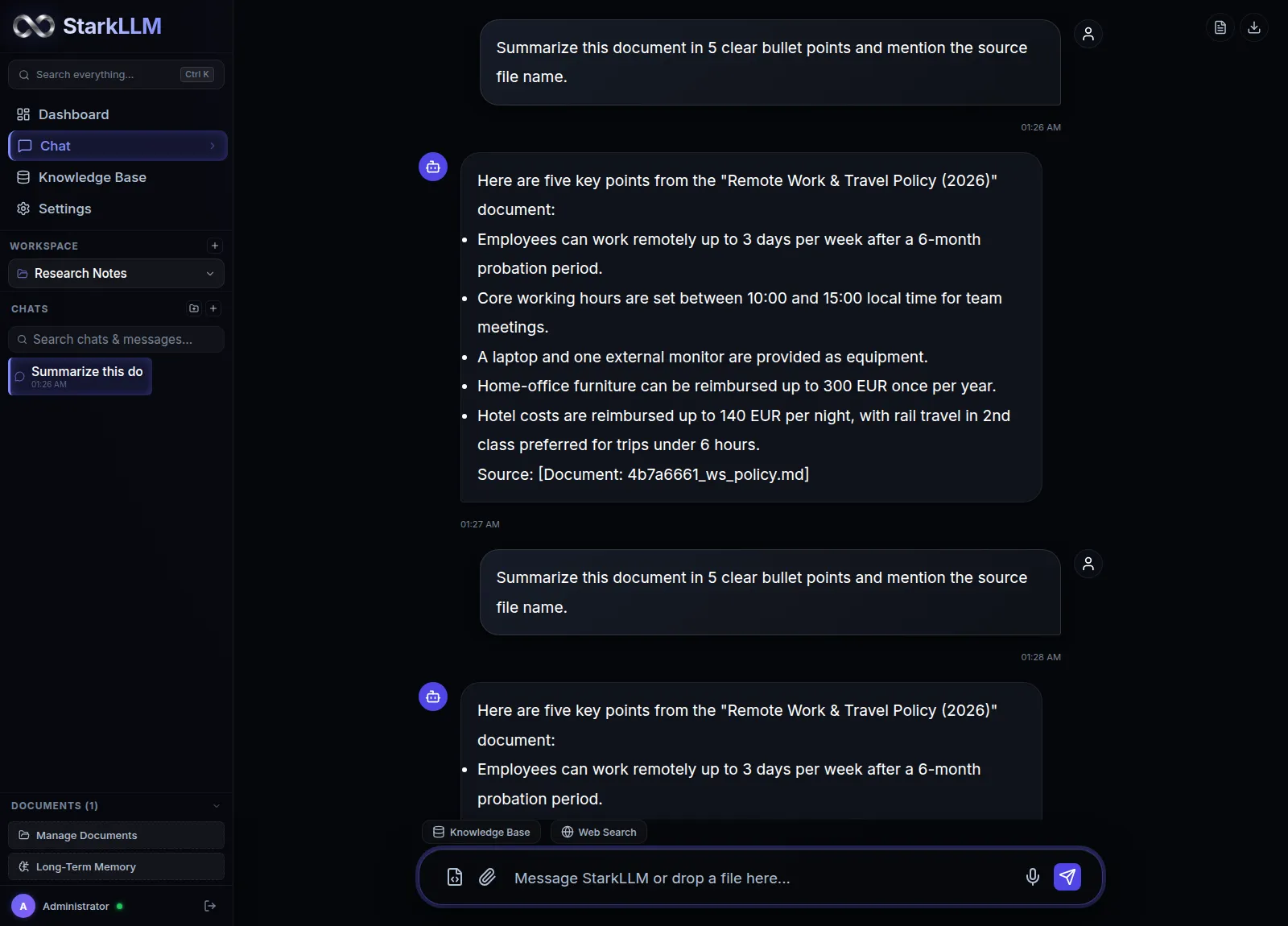
Built for people who can't upload their documents.
Hybrid RAG with a cross-encoder re-ranker
Keyword and semantic search run together, then a TinyBERT cross-encoder re-ranks the passages that actually answer the question.
A real app window
Its own window with splash screen and tray menu. No browser tab.
Local tools with a confirmation gate
Read-only tools such as search_local_kb and fetch_cited_chunk. Every call needs your confirmation and a single-use token.
Eight themes, switched instantly
Midnight Indigo, OLED Pitch Black, Liquid Glass, Cyberpunk Rose, Matrix Emerald, Sunset Amber, Arctic Frost and Daylight Minimal.
Workspaces and a global knowledge base
Map Windows folders, keep projects isolated, and query the shared knowledge base from any chat.
Local Python sandbox
In-process execution with AST validation and timeout protection.
Local OpenAI-compatible server
A standard /v1/chat/completions endpoint for Cursor, Claude Code and other tools.
How StarkLLM compares
An honest look at how StarkLLM fits into the local AI landscape next to other popular open solutions.
| Tool | Strength and limits | Best for |
|---|---|---|
| Inference GUILM Studio | Superb for downloading GGUFs from Hugging Face and tuning GPU layer offloading. It lacks deep multi-document RAG, persistent workspace knowledge bases and safe code execution. | Testing raw GGUFs without document grounding. |
| Basic RAG appAnythingLLM | Popular for desktop RAG, but relies on naive chunking without cross-encoder reranking, which can cause retrieval hallucinations on dense technical documents. Runs inside a heavier web-style dashboard. | Casual document chats where retrieval precision isn't mission-critical. |
| Minimalist chatJan.ai | A lightweight, zero-telemetry, open-source ChatGPT-style app. It lacks advanced hybrid RAG, cross-encoder reranking, in-process code sandboxing and multimodal document analysis. | Simple zero-telemetry chat without document workflows. |
| This projectStarkLLM v2.0.0 | Native Windows desktop app with hybrid RAG and TinyBERT cross-encoder reranking, a safe Python sandbox, a local OpenAI server (/v1) and zero-cloud privacy. | Developers, researchers and privacy-critical professionals who need verified accuracy. |
Set up in about five minutes
If Docker, Ollama and the models are already installed, setup takes about 5 minutes. First-time model and Docker image downloads depend on your bandwidth.
- Start Docker DesktopMake sure it is running in your system tray.
- Install Ollama and pull the modelsIn a terminal, run:
ollama pull qwen2.5:7b
ollama pull nomic-embed-text
- Run the StarkLLM installerDownload and run StarkLLM-v2.0.0-Setup.exe, or use the portable build. The wizard creates the desktop shortcuts.
- Launch StarkLLMClick the desktop shortcut. Services start automatically.
Important notes
First launch. It can take several minutes while Docker images download. After the containers are up, the backend may need another 1–2 minutes to finish starting.
Windows SmartScreen. If execution is blocked, choose More info, then Run anyway.
Hardware matters. Speed and answer quality depend heavily on a capable GPU (8 GB+ VRAM recommended).
The architecture of privacy
StarkLLM is an offline alternative to cloud AI services. Your documents, legal briefs and research stay on your machine.
Local inference
Powered by Ollama, language models run on your own CPU or GPU. Designed to work fully offline once models are downloaded.
Local storage
Documents are chunked and embedded into a local ChromaDB vector store running in an isolated Docker container.
Zero telemetry
The Windows app has no telemetry and no analytics SDK. This website uses self-hosted Umami analytics; see the Datenschutz page.
Install it today.
Free and open source under Apache 2.0.
- OS: Windows 10/11 with WSL2 enabled
- Docker Desktop: installed and running
- Ollama: installed on the Windows host
- Hardware: 8 GB RAM minimum, 16 GB recommended, NVIDIA GPU with 8 GB+ VRAM recommended
e6b29e6b77788dfd85eaa1e3e96634f38c97f1d4ed993b6ff6057340d4a457b5a0c8b569d554ee345802f832ece80fad01f4db378c126576ac6685be78aaeda9Verify with PowerShell: Get-FileHash -Algorithm SHA256 StarkLLM-v2.0.0-Setup.exe